All posts by Bob Korn

Here’s the schedule for our workshops beginning next week.

The Print:  This workshop is designed as a four session class, with the option for an additional four weeks.  The first four weeks concentrate on file development, which is the foundation for the printing process, along with learning the tools in Photoshop to complete the process. The optional sessions are a continuation in which we work on the refinement of your workflow. Each week I’ll review and print your files for you to see the effect of each adjustment.  $650 per 4 sessions.  1:00, Tuesday 1/26, 2/2, 2/9, 2/16

Photoshop Basics:  Photoshop is not just a photography application, so we need to know which tools we need to use. This 2 session workshop will break down Photoshop to show which tools we need and how to use them for the photographic process. We’ll cover how to set preferences, use of layers, spotting, saving files, and more. $150, 2 sessions. 1:00, Monday 1/25, 2/1

B&W Printing:  As with everything in the digital process, there are numerous ways to accomplish what you need done, and the conversion of the camera’s color file to B&W is no exception.  I’ll explain my process using both Lightroom and Photoshop to create the rich tone filled B&W image we strive for.  Each week I’ll review and print your files for you to see how each adjustment works to refine the B&W image.  $375, 3 sessions.  1:00, Wednesday 1/20, 1/27, 2/3

Seeing Color:  Learning how to see and adjust color is the final step in the printing process.  Todays technology has improved in the way it reproduces color, however there is more to see.  We’ll learn how to identify color, interpret what we see and the tools need to correct it.  Each week I’ll review and print your files for you to see the effect of each adjustment.  $550, 4 sessions. 1:00,Thursday 1/21, 1/28, 2/4, 2/11

For questions and registration, call: 508-255-5202 or email: bob@bobkornimaging.com

Tomorrow, Thursday, January 14, I’ll be previewing our upcoming online workshops. We’ll be offering small group workshops on Photoshop Basics, Raw Development, Masking, Print Workflow, along with Basic and Master Printing classes. I hope you’ll Zoom in to see how these workshops can help you refine you digital processing skills.
Workshop Overview / Jan 14 5:30pm ET
Meeting ID: 870 9762 7964
Passcode: 028085

It’s the last Monday of the month so it’s “How Do I Know What I Don’t Know” question and answer evening. Join me tonight, 5:00pm ET, with any questions you have about software, image selection, portfolio presentation, or anything think else in your photo world. Look forward to seeing you.⠀

Topic: How Do I Know  /  Nov 30, 2020 05:00 PM Eastern Time

Join Zoom Meeting / https://us02web.zoom.us/j/86972039050…

Meeting ID: 869 7203 9050
Passcode: 429312
© Eileen Powers

Busy week this week.

Photoshop Basics Workshop begins Thursday the 19th at 2:00pm ET.  This workshop is designed for the photographer who needs help in understanding which tools to use and how to use them. We’ll cover setup, overviews of correction layers, masking, printing, and the integration of Photoshop with Lightroom.

Salon Night for November is Thursday the 19th, 5:00pm ET.  Join in anytime to share your thoughts and if you’d like to show work, email files (2 mb max) by noon the day of.

Zoom Link /  https://us02web.zoom.us/j/89067770215?pwd=a3VvYmVBekl5QnFOV2VjT3VySHZ6QT09                                                                  Meeting ID: 890 6777 0215  /  Passcode: 245866

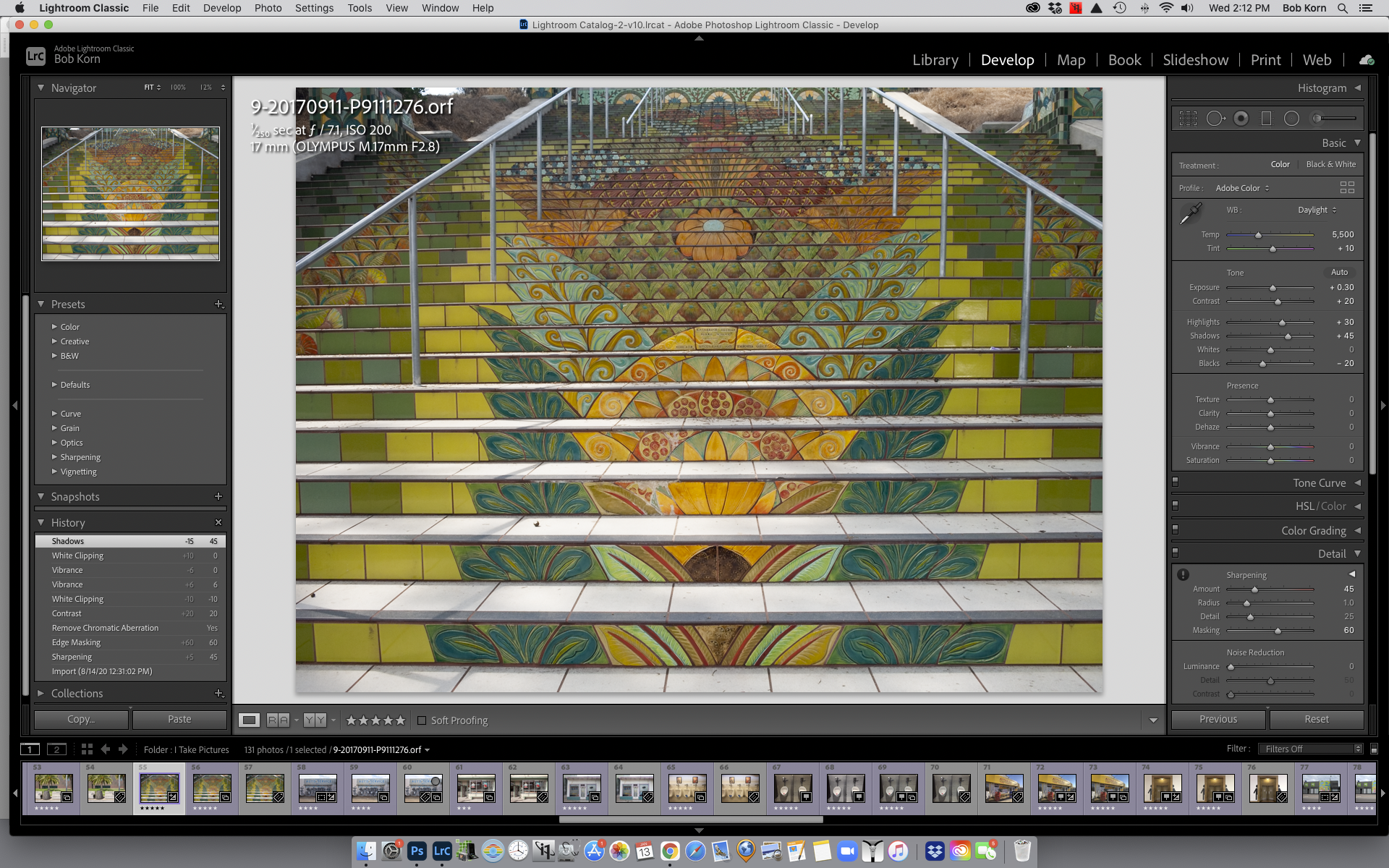
Lightroom File Development starts Tuesday, November 24, 5:00pm ET.  The develop module in Lightroom has replaced the film darkroom, so knowing how to use it is essential to today’s photographic process.  Understanding how White Balance, Highlights, Shadows, and the other developing tools create the foundation of your image is the focus of this workshop.

For more information on and registration for the workshops, please call or email.

“How Do I Know What I Don’t Know?”, Q&A is this Monday, 26th, 5:00pm ET. This free monthly class is a great time to get help with Photoshop, Lightroom, and other photography questions. I hope you’ll join in.⠀

Monday Oct 26, 2020, 5:00pm ET⠀

https://buff.ly/3mm6yI1…

Meeting ID: 811 7696 1766⠀
Passcode: 424184 ⠀

Here are the times for this months workshops.

Photoshop Photography Basics: Tuesday 13th, 5:15pm, ET
Photoshop is not just a photography application, so we need to know which tools we need to use. This one session, 2.5 hr. workshop, will break down Photoshop to show which tools we need and how to use them for the photographic process. We’ll cover how to set preferences, use of layers, spotting, saving files, and more. $75, 1 session
Photoshop Masking: Thursday 15, 1:00pm, ET
This workshop will help you to understanding how and when to use masking. Working in Photoshop you’ll learn the tools need for creating masks to refine your image. $145, 2 sessions
The B&W Print: Friday 16th, 1:pm, ET
There are a number of ways to convert your files to B&W within Lightroom and Photoshop. We’ll use the tools in both and I’ll explain why I find Photoshop works best for B&W conversion and printing. $145, 2 sessions
Master Print Workshops: 1:pm, ET will begin again on Tuesday 27th. $650, 4 sessions
Call for registration and more info

I added a new Photoshop Basics class which will begin on Tuesday, October 13th.  Along with this new class, I’ll again be offering these two-session intensive workshops: Photoshop Masking, Thursday, October 15th and The B&W Print, Friday, October 16th.  The four-week Master Print Workshops will begin again on Tuesday, October 27th.

Photoshop Photography Basics:    Photoshop is not just a photography application, so we need to know which tools we need to use.  This one session, 2.5 hr. workshop, will break down Photoshop to show which tools we need and how to use them for the photographic process. We’ll cover how to set preferences, use of layers, spotting, saving files, and more. $75

Photoshop Masking:   This workshop will help you to understanding how and when to use masking.  Working in Photoshop you’ll learn the tools need for creating masks to refine your image. $145

The B&W Print:   There are a number of ways to convert your files to B&W within Lightroom and Photoshop.  We’ll use the tools in both and I’ll explain why I find Photoshop works best for B&W conversion and printing. $145

Master Print Workshops will begin again on Tuesday, October 27th. $650

For questions and registration, email or call, 508-255-5202.